NetThirsty brings you tech, web, soft, reviews, blogging tips and lots more..

Explore Outer Space

| Monday, November 17, 2008

I Think most of you would have tried Google's Earth even some might have Tried Google Moon and Google Mars too.. Many of you may even tried the planetarium for exploring outer space.

This software Celestia is used to Explore Outer space easier. It is a download able software and supports most of the OS and easy to use and this is fine for getting some extra knowledge about External Space...

here are some screen shots from the website 


Read More......

Google Office in Newyork- Wow!!

| Saturday, November 15, 2008

I Saw this video of "Google Office in Newyork" and i found its pretty good so i like to share this with you..

Read More......

Googles' SEO Reveled !!!

| Friday, November 14, 2008

Google Today Reveled its Secrets of Search Engine Optimization, to the web masters and bloggers for improving there websites and blogs. This Tutorial made by Brandon Falls, Search Quality Team from Google explains that this tutorial will be helpful for those who are all new to SEO and to improve there sites rankings
Click here to get your copy.

This Tutorial covers various topics such as improving title,and description meta tags, URL structure, site navigation, content creation, anchor text, and pitfalls to avoid. They have also planned to expand the release more on tutorial about SEO in future.


Source


Read More......

Google Goes with Video chat

| Wednesday, November 12, 2008

Google yesterday announced a major and most awaited plugin on its Gmail, video chat. This plugin is supported by all the major web browsers Firefox,Internet Explorer,Google Chrome and safari. This works with PCs with Windows Vista,XP and Mac Os X10.4 or higher.

All you have to do is to download the plugin availble at gmail.com/videochat. For enabling this go to the options at the bottom of the Gmail chat window and then you can start with a Video or a Audio chat.

Google want to concentrate on quailty of voice as well as video here after for better reach of this feature.hope it will do it succesfully.


Read More......

Inkscape - Open source Vector graphics Editor

| Tuesday, November 11, 2008

Image/photo editing softwares are more common and available for free like that of a Gimp. next to that of image/photo editing softwares comes the graphic editors. More popular graphic editors are Illustrator, CorelDraw, Xarax but all these much costlier and for learning graphics you cannot afford such a big softwares. A quick Alternative to this in Open source is the Inkscape.


Inkscape is a open source vector graphics editor application. what is vector graphics?
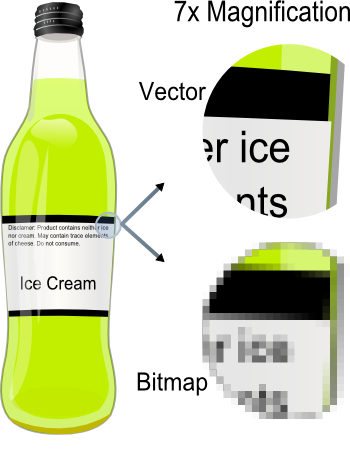
vector graphics is the use of geometrical primitives such as points, lines, curves, and shapes or polygon(s), which are all based upon mathematical equations, to represent images in computer graphics.


The above diagram shows the difference between the Vector graphics and the bitmap.

Inkscape is made to support SVG (Scalable Vector Graphics),XML and CSS.It was first developed for Linux but now it supports Windows, mac OS too. it is under development to support SVG fonts and CSS animation. The current version available is 0.46.

you can download Inkscape here


For Beginners tutorials are available in the


And a hope this  blog which will help you to reach most from this software there are lots of tutorial available there.
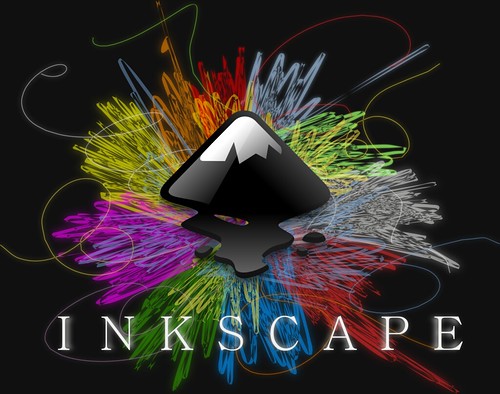
here are some images and photos created with inkscape.


Images: wikipedia,flickr

Read More......
ss_blog_claim=1a9a4dc5a142b1bf9ecdcaf154f88e9e ss_blog_claim=1a9a4dc5a142b1bf9ecdcaf154f88e9e